The look behind the edit

Atlanta Lock.
Your own look.

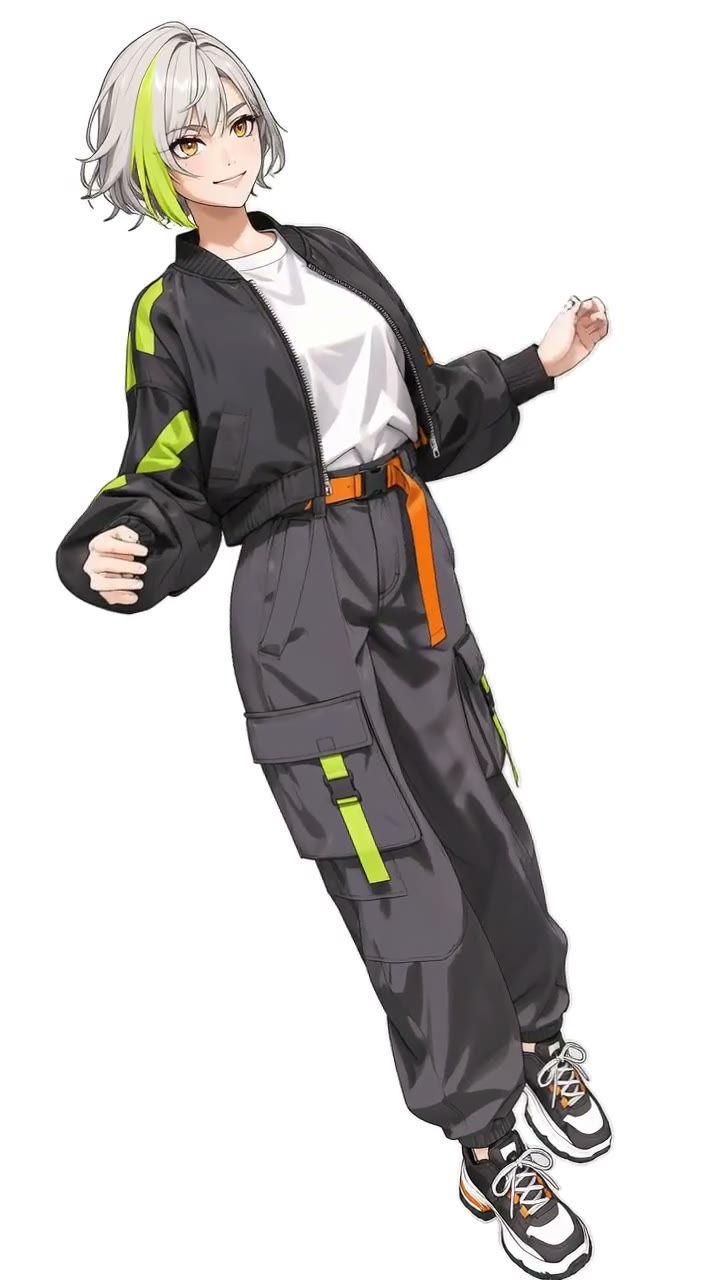
Streetwear, a bold silhouette and a small side-to-side sway. Atlanta Lock is a name used around Blue Lock fan edits and the illustrated streetwear look associated with them.

Make your own sway
Original adult anime character in black cargo trousers, a bomber jacket and chunky sneakers
Original streetwear character

Style and motion

Is Atlanta Lock the same as Wassup in a Minute?

These searches overlap, but describe different parts of the edit.

Atlanta Lock: the visual look

This search points toward the streetwear fan-edit aesthetic: expressive anime faces, oversized layers, loose trousers and sneakers. It is a style reference, not an official Blue Lock product or a guarantee that every edit uses the same animation.

Wassup in a Minute: the sway

The trend name describes the short character-sway edit. To make your own version, use the photo tool on our main page. One image defines the character; the reference supplies the motion and background.

Blue Lock edit: the wider category

A blue lock edit can be a match highlight, manga animation or music-led fan video. The small Wassup sway is one format within a broader editing culture. You can create your own character without copying a franchise character.

Start with your image

How to create a streetwear character sway

1. Choose the outfit first

Upload one clear image of yourself, a consenting adult or an original adult anime character. Keep the face and clothing visible. If you want an illustrated result, start with an illustrated character wearing the outfit you want.

2. Keep your original look

Your photo or illustration supplies the subject’s face, clothing and visual style. Start with the outfit and look you want in your video.

3. Review, download and add sound

Generate a four-second 9:16 MP4, watch the whole clip and check the face, hands and clothing. Download it within three days and save the processed version with the original sound.